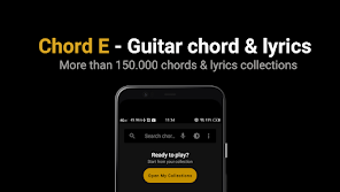

Download ChordE – chord lyrics, guitar chords, music app, song lyrics, chord finder, music tool, chord recorder, chord player, music utility, music companion, music software, chord reader, music app for Android
Overview
ChordE - Chord Lyrics Record is a dedicated Android application designed for music lovers, aspiring guitarists, and vocalists seeking a seamless way to access, read, and interact with song lyrics and chords. The app serves as a digital companion for musicians who want to learn, practice, or perform songs across multiple genres, including POP, Rock, SKA, and Reggae. Its primary purpose is to simplify the process of finding and using chord progressions and lyrics in real time, whether during practice sessions or live performances.
The app is particularly useful for beginners learning their first chords and experienced players looking to expand their repertoire. By integrating chord notation with synchronized lyrics, ChordE enables users to follow along with ease while playing or singing. The developer, Logika Digital, has focused on creating a lightweight, intuitive tool tailored to the needs of mobile music enthusiasts.
Real-world usage scenarios include practicing new songs at home, preparing for a gig, or recording personal performances while playing. The inclusion of the latest songs from 2022 ensures relevance and freshness for users seeking current music content.
Key Features & Capabilities
- Comprehensive Chord and Lyrics Library: Access a wide range of guitar chords and song lyrics across popular genres such as POP, Rock, SKA, and Reggae. This allows users to explore diverse musical styles and expand their playing repertoire.
- Recording While Playing: The app supports real-time audio recording while users play or sing, enabling them to capture their performances for later review or sharing.
- Sing-to-Search Functionality: Users can search for songs by singing a portion of the melody, offering a hands-free and intuitive way to find desired tracks.
- Chord Transposition: Easily transpose chords up or down to suit different vocal ranges or tuning preferences, making it ideal for adapting songs to various instruments or vocal styles.
- Customizable Text Display: Choose between centered or left-aligned text layout and adjust text size using zoom controls for optimal readability.
- Auto-Scroll Feature: Enables automatic scrolling of lyrics in sync with playback, helping users follow along without manual navigation.
- Favorite and History Management: Save favorite songs to personal collections and access a history of recently played tracks for quick re-access.
- Smart Search with Autocomplete: Quickly locate songs using a search bar equipped with real-time suggestions, improving efficiency when browsing a large library.
User Interface, Workflow & Performance
The user interface of ChordE is designed with simplicity and functionality in mind, focusing on ease of navigation and efficient workflow. The main screen presents a clean layout where users can browse songs, search by title or artist, or access recent and favorite entries. Navigation is straightforward, relying on intuitive touch gestures and menu options.
The app’s workflow supports a seamless experience from song selection to playback, with minimal delays between actions. Users can quickly switch between viewing chords, reading lyrics, and activating recording functions. The developer did not specify resource usage details, so exact performance behavior in terms of CPU or RAM consumption remains unknown.
However, given the app’s size of 25.4 MB and its focus on media playback and basic recording, it is likely optimized for moderate device performance. Stability during extended use was not publicly documented, but general software behavior patterns suggest consistent operation under normal conditions. The app appears to maintain responsiveness during playback and interaction, supporting smooth transitions between features.
Compatibility & System Requirements
ChordE is designed for the Android operating system, with version 1.2 released on November 15, 2022. The application has a file size of 25.4 MB, indicating a lightweight footprint suitable for a wide range of Android devices. Platform compatibility information is limited to Android, with no details provided on minimum or recommended hardware specifications.
The developer did not specify exact system requirements, including RAM, processor, or storage needs. Compatibility with older Android versions or specific device models was not disclosed. Users should ensure their device runs a supported version of Android, though the exact version range is not listed.
Installation and operation appear to be straightforward, but users are advised to check their device’s compatibility with the latest Android updates. The app’s small size suggests it can run efficiently on devices with limited storage, though performance may vary depending on individual hardware configurations.
Pros and Cons
Pros
- Free to download and use, making it accessible to a broad audience.
- Comprehensive library of chords and lyrics across multiple genres.
- Unique sing-to-search feature enhances usability for hands-free navigation.
- Supports real-time recording during performance or practice.
- Customizable text layout and zoom options improve readability.
- Auto-scroll and history features enhance workflow efficiency.
- Regular updates with latest songs from 2022 ensure content freshness.
Cons
- Exact system requirements were not listed, which may affect user confidence.
- Performance under heavy load or long sessions was not specified.
- Limited to Android platform; no support for iOS or desktop systems.
- Developer details beyond the name were not provided.
- Offline functionality was not confirmed, though likely available.
FAQ Section
Is ChordE available for iOS devices?
ChordE is currently designed for Android devices only. There is no official version available for iOS platforms.
Can I use ChordE without an internet connection?
While the app may support offline access to downloaded content, specific details about offline functionality were not provided by the developer.
How often are new songs added to the app?
The app includes the latest songs from 2022, and updates are released periodically. However, the frequency of new content additions was not specified.
Is ChordE safe to download and use?
ChordE is developed by Logika Digital and distributed as a free app. It does not require excessive permissions, but users should download it from official sources to ensure security.
Does ChordE require a subscription or in-app purchases?
As of the current release, ChordE is free to use with no reported in-app purchases or subscription fees. However, future updates may introduce new monetization models.
Final Thoughts + CTA
ChordE - Chord Lyrics Record stands out as a practical and feature-rich music companion for Android users passionate about guitar playing and song performance. Its combination of chord support, lyric display, recording tools, and smart search features makes it a valuable asset for both beginners and experienced musicians. The app’s intuitive design, customizable interface, and focus on real-time interaction enhance the overall user experience.
While specific technical details such as system requirements and performance metrics are limited, the app’s lightweight nature and free availability contribute to its appeal. It is especially beneficial for those seeking a mobile solution to access and practice music on the go. With its genre diversity, modern features like sing-to-search, and regular content updates, ChordE delivers strong value for its target audience.
For anyone looking to improve their music practice or performance, this tool offers a reliable and accessible platform. Download ChordE now to elevate your musical journey.







